Horizon recognises itself in many of the definitions given to it over the years by the people who know it best: customers, consultants, analysts and developers who have discovered and come to value this remarkable working tool in all its many aspects. Horizon is certainly an extensive information system, but given its polymorphic nature and an enormous technological potential geared towards integration, its management side becomes a given and evolves into something innovative, above all in the way it brings together information, technology and business management.

First question: how many programs do you use to run your business?
The answer is almost certainly more than one: the management software on the server, a vertical production package that transfers data overnight, perhaps a bespoke Microsoft Access program for other specific tasks, and so on...
Second question: how many would you like to use?
No need to answer that one... we already know!
That is why we choose “All-In-One” technology, the real kind that makes no compromises and gives you a single environment where everything is integrated and immediately available, simple and efficient: in a word, “Horizon”.
Horizon combines advanced management solutions with cutting-edge technology tools. The two blend so seamlessly that you can hardly tell them apart, making it intuitive both to set objectives and to develop the solutions to achieve them.
√√ Horizon as a management system helps you grow your business through extensive solutions and innovative tools for controlling and managing costs and resources.
√√ Horizon as an operating platform actively supports the management tools and helps you grow your business through an active connection between your company and the world of technologies and opportunities in the global market.
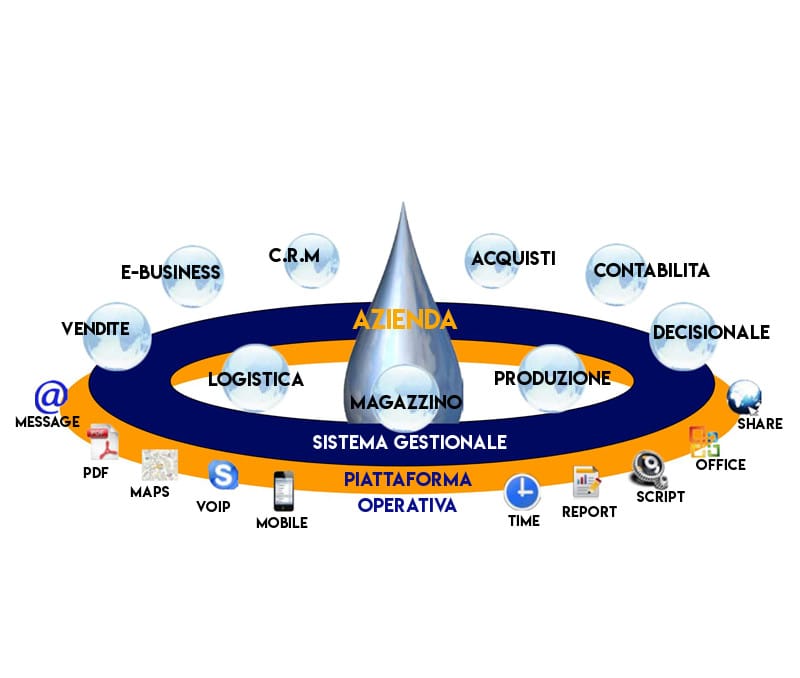
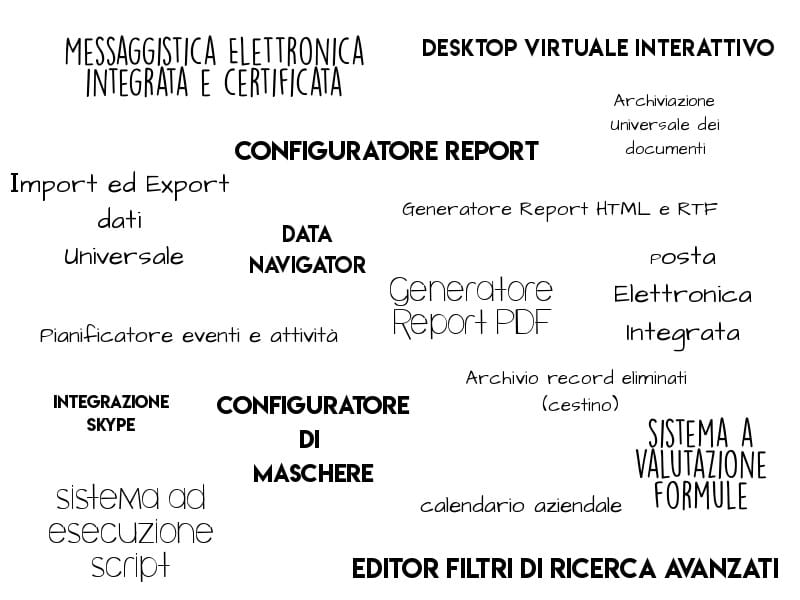
on one side, complete management software of exhaustive quality, and on the other, a technological extension that is constantly evolving to connect your information with an ever-wider world of tools and opportunities.
The operating platform
Alongside the management modules, Horizon gives every department the same set of technology tools:
- Integrated, certified electronic messaging
- Integrated email
- Interactive virtual desktop
- Event and task scheduler
- Company calendar
- Data navigator
- Advanced search filter editor
- Universal document archive
- Report configurator
- PDF report generator
- HTML and RTF report generator
- Screen configurator
- Configurable data structures
- Data validator and monitor
- Script execution system
- Formula evaluation system
- Universal data import and export
- Office automation
- Deleted records archive (recycle bin)

Report configurator
√√ Over 400 ready-to-use graphical reports, configurable as you wish
√√ Built-in configurator to modify the structure and the program code of each report
√√ Create new reports that are automatically distributed across the entire company network
√√ Report selector to print the same document in different formats
Script execution system
√√ Access Script to configure the platform according to each operator's rights
√√ Window Script to configure rights and settings on every single screen
√√ Table Script to define default table values and speed up data entry
Data validator and monitor
√√ Check and, if necessary, invalidate the data entered into the system
√√ Give operators/users clear guidance on the standards you have defined and require
√√ Ensure data is always consistent and aligned
√√ Always guarantee the security of the information entered
Configurable data structures
√√ Extend the information catalogued in the system tables as you wish
√√ Set up custom screen layouts
√√ Create bespoke searches based on specific needs
√√ Create bespoke print reports based on your own information
Integrated, certified messaging
√√ Certified Internal Mail System: users can communicate with each other, or with sales agents and web customers, through internal messages, outside the standard email channel that is now clogged with spam and unwanted mail. Each message can contain links to documents in the management software, web addresses and file attachments; the read status visible to the sender certifies delivery.
√√ Instant Notification System: operators can communicate with each other through a system of real-time notifications, instantly visible on the recipient's desktop. Each notification can contain text, links to documents in the management software and web addresses.

Formula evaluation system
A sophisticated tool that is extremely useful whenever a value needs to be expressed as a formula, much like in Excel but far more powerful. For example, if your pricing strategy sets the selling price as the purchase price plus a mark-up percentage, in Horizon you can use a formula such as [PREZZO_ACQUISTO]+[%RICARICO], meaning “take the item's current purchase price and apply a mark-up percentage”. The formula is useful for calculating and writing the numeric price into the sales price list, but it becomes extremely powerful when it replaces the selling price itself: this way you eliminate the risk of outdated sales price lists and any negative impact on company profitability.
Interactive virtual desktop
Horizon offers a desktop that extends the operating system’s own and combines the usual shortcuts with the world of the management software:
- Shortcuts to files, folders and applications
- Shortcuts to websites and email addresses
- Shortcuts to the software’s tables and tools
- Interactive dashboards and live charts
Event and task scheduler
An evolution of Windows scheduled tasks, both in scheduling and in what it can run: schedule integrated processes, scripts and external applications, for example:
- Preparing mailing lists and sending sales emails to customers and suppliers
- Issuing deferred invoices, printed to PDF and sent electronically
- Synchronising data from external sources
Data navigator
A keyword and a “Navigate” button: thanks to its built-in search engine, Horizon finds every related piece of information in the software’s documents and archives, or directly on the web.
Company calendar
A personal diary that can be shared with the rest of the company:
- Personal appointments, shareable with colleagues
- Automatic notifications and reminders for important events
- Priorities and links to internal and external documents
Microsoft Office
Horizon is integrated with the Office tools you use every day:
- Letters and sales letter templates in Word, filled in with data from the software
- Import and export of tables and statistics in Excel
- Analyses and statistics presented in PowerPoint
Discover them all!